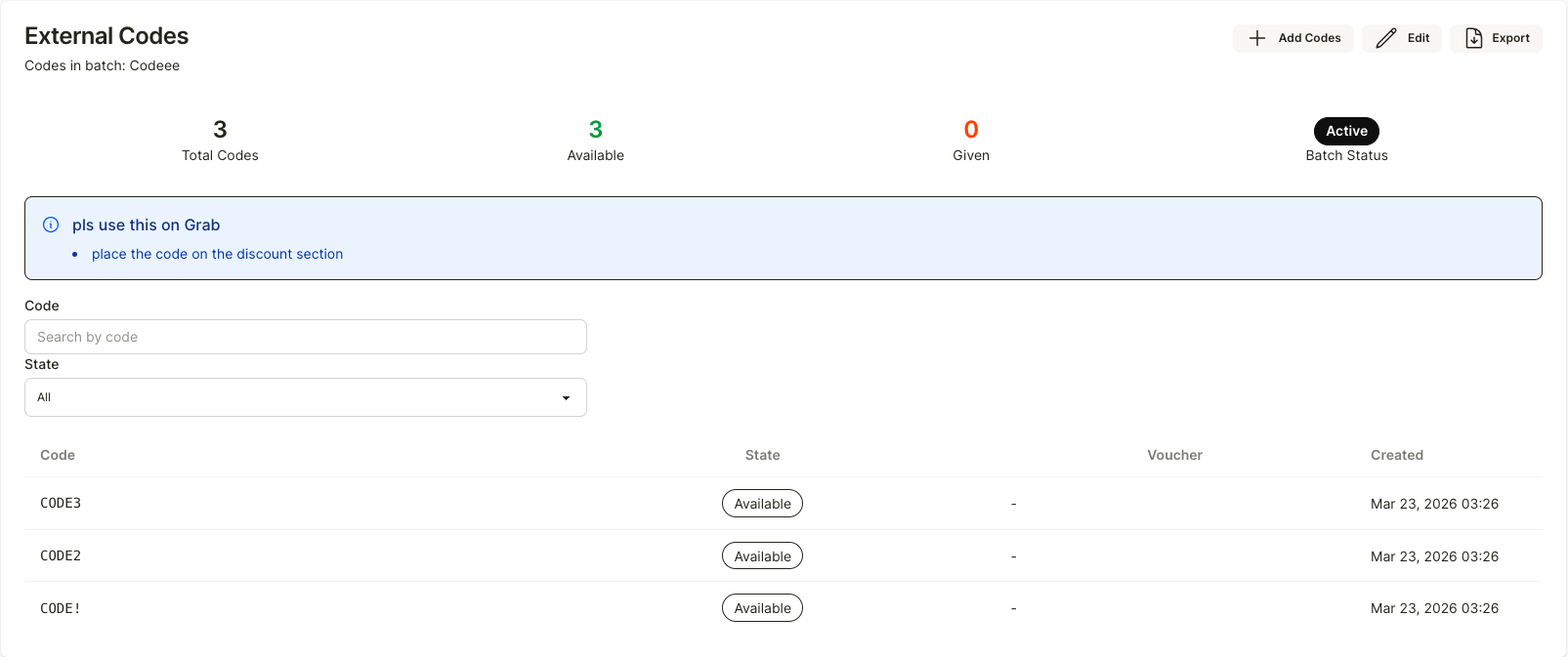
External codes
Load third-party codes — like Grab or Lineman vouchers — so customers can redeem them with their points.
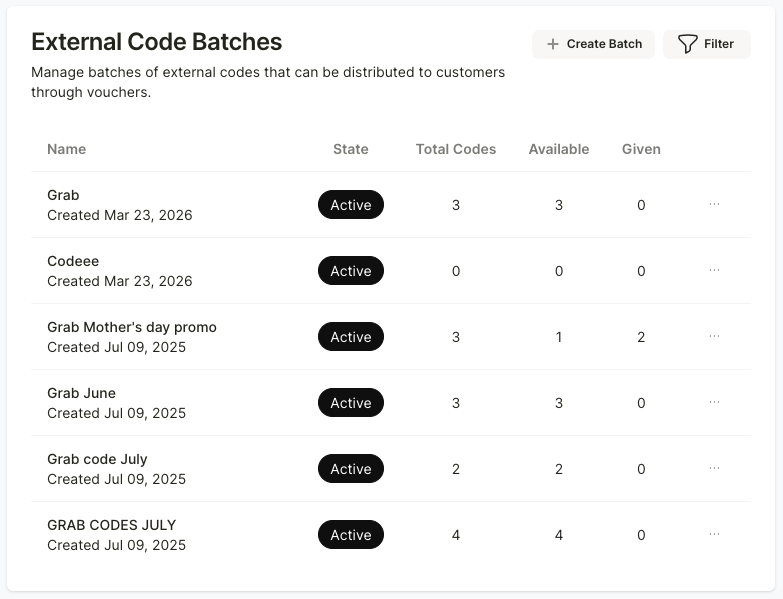
If the store would like to distribute discount codes from delivery apps to customers, this can be done through the “External Codes” menu. Simply click “+ Create Batch” at the top right corner.
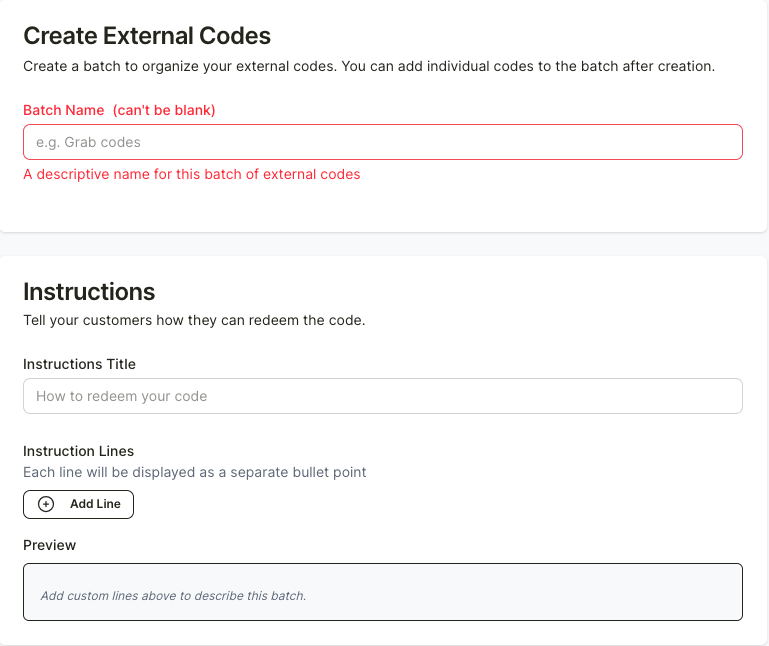
After that, add a name for the code set and include details on how to use the code so customers understand which app and channel it applies to. All descriptions will be displayed on the Reggu app.
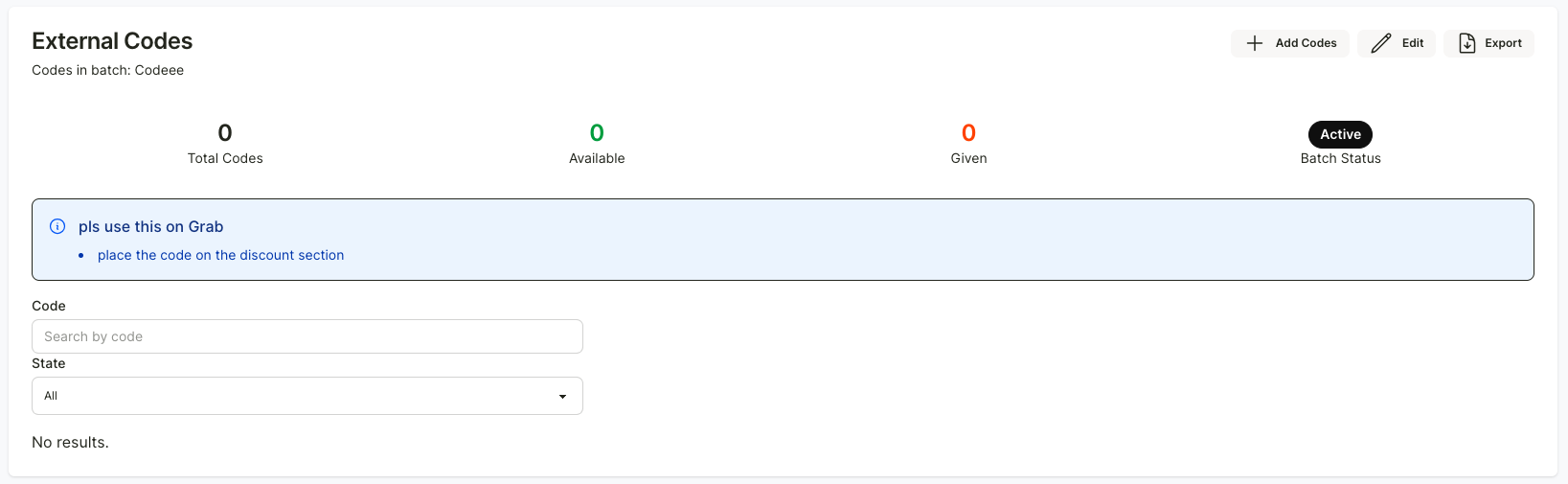
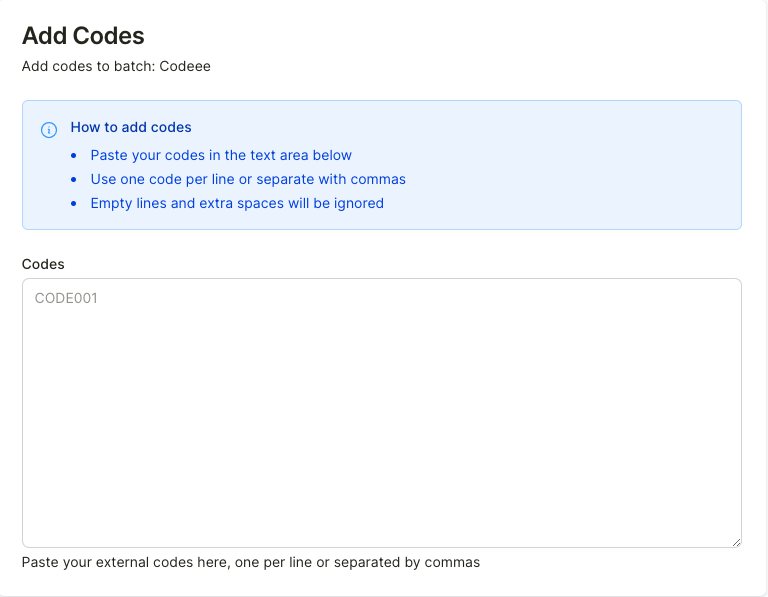
Once all details are filled in, the system will take you to the code creation page. You can click the “+ Create Code” button to input all the codes into the Reggu system.
After adding the discount codes, the store will be able to track usage updates for that code set, such as how many codes have been used and which specific codes have been redeemed. You can also download the data as a CSV file by clicking the “Export” button at the top right.